
Grant a User Permission to View a Single Position
The preferred method for granting a standard user permission to view an administrative position is through routings.
Here's how:
For example, let's say you want to grant a middle school department chair the permission to view applicants for an bilingual teaching position, but not any other applications for middle school teaching.
1) Click on the Users tab.
2) Select the user/teacher to which you want to grant the permissions.
3) Click on Edit User.
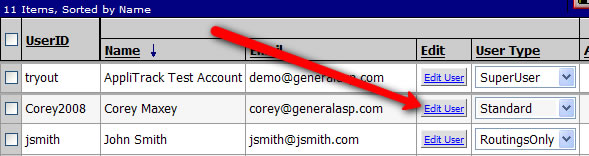
4) In the Edit User screen, navigate to the Routings tab. On this tab, click on the check mark adjacent to the bilingual teaching position in question.
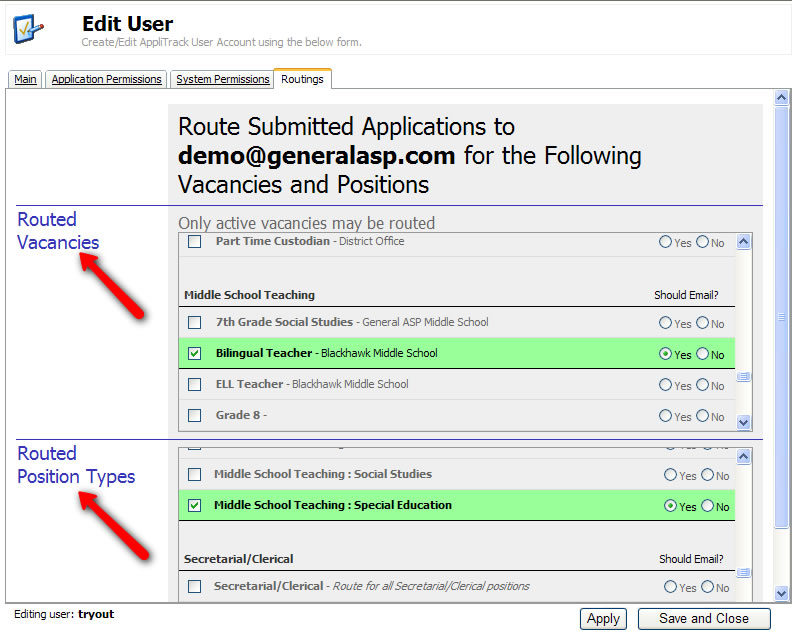
5) Click the Apply button at the lower-right corner of the screen to save your changes.
More Information: